
Speakerdesk
Meeting transcripts with speaker labels, processed on your Mac
Version 0.2.0 · macOS 14.0+ · 98 MB
Release notesReal-meeting capture and packaged transcription testing are still pending.
Verify the download
SHA-256
b03fb37f3478583400916de5dfaed7a8557d90b34c6479d79821a663fa2339c9- Availability
- Available now
- Runs on
- Apple Silicon · macOS 14.0 or newer
- Setup
- About 2.3 GB for model setup, plus space for recordings
- Audio and transcripts
- Stored and processed on your Mac
Overview
What it is
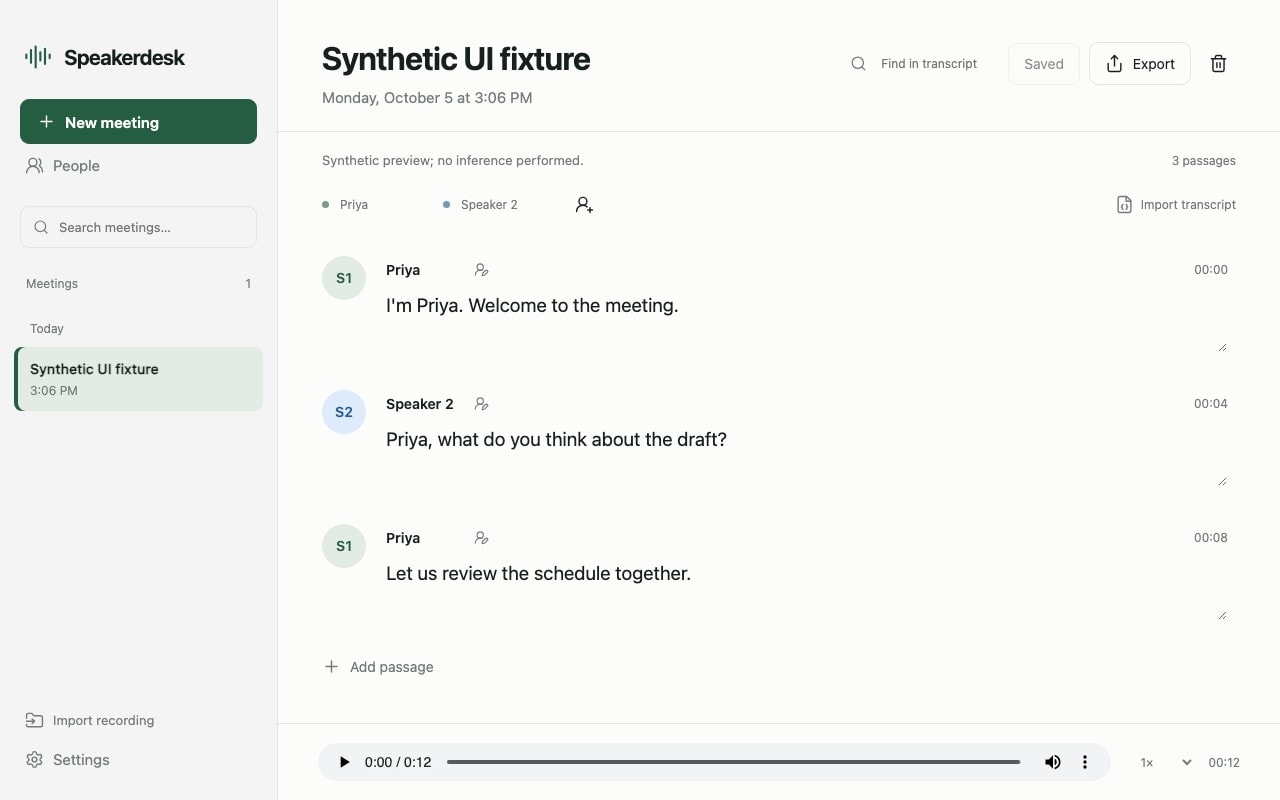
Speakerdesk turns a meeting or an audio file into a transcript you can review. Follow the conversation by speaker, correct the text, and listen back to the recording.
Audio processing runs on your Mac. The first setup downloads the transcription models; there is no paid transcription service to connect.
Capabilities
What it does
- 01
Follow a live meeting
Capture microphone and system audio, with text appearing in short passages as the conversation progresses.
- 02
Work from a recording
Import an audio file and review the transcript alongside playback.
- 03
Keep track of speakers
Separate the conversation into labeled speakers, then apply names and correct passages before exporting.
- 04
Reuse saved names
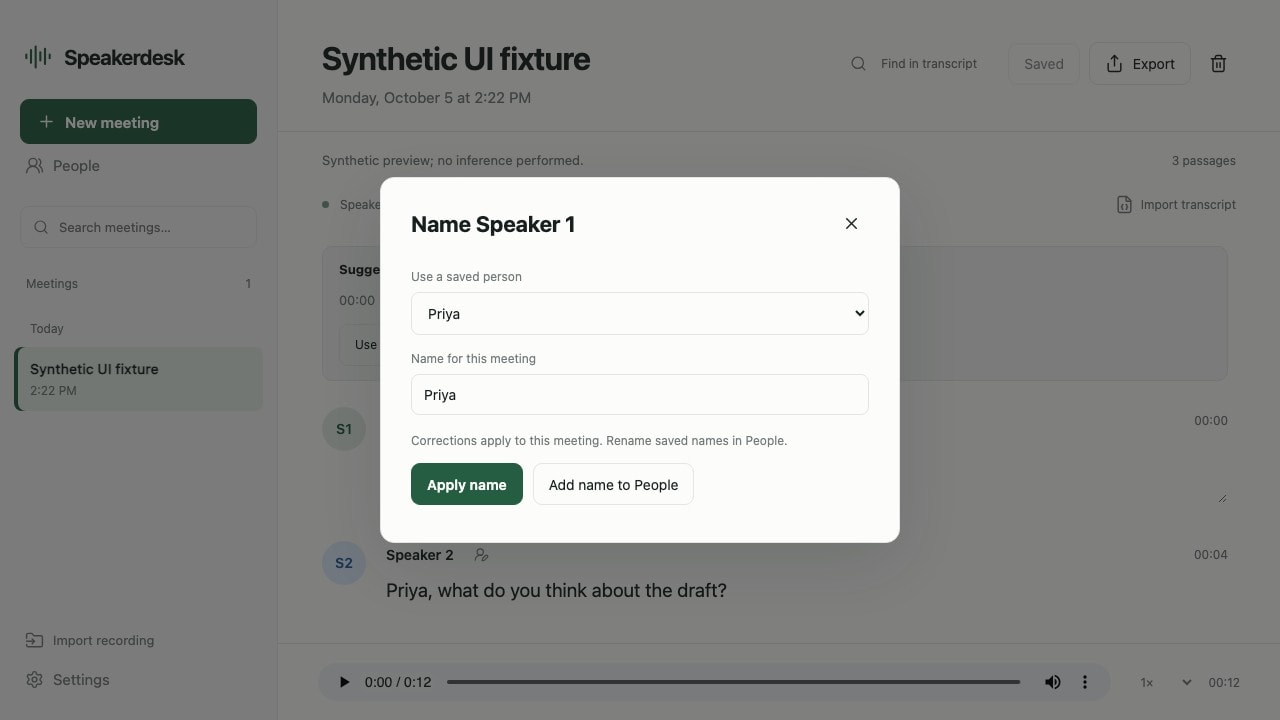
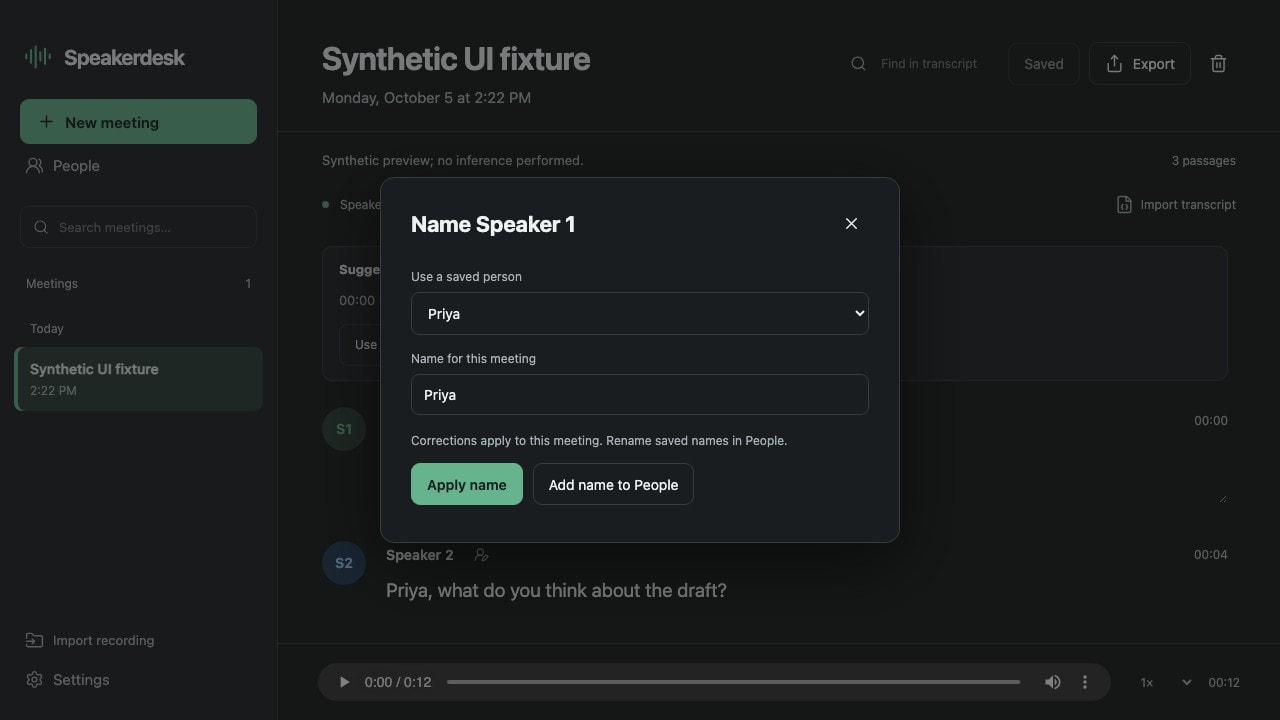
Save people locally and choose their names in future meetings. Naming a person does not save their voice or identify them automatically.
- 05
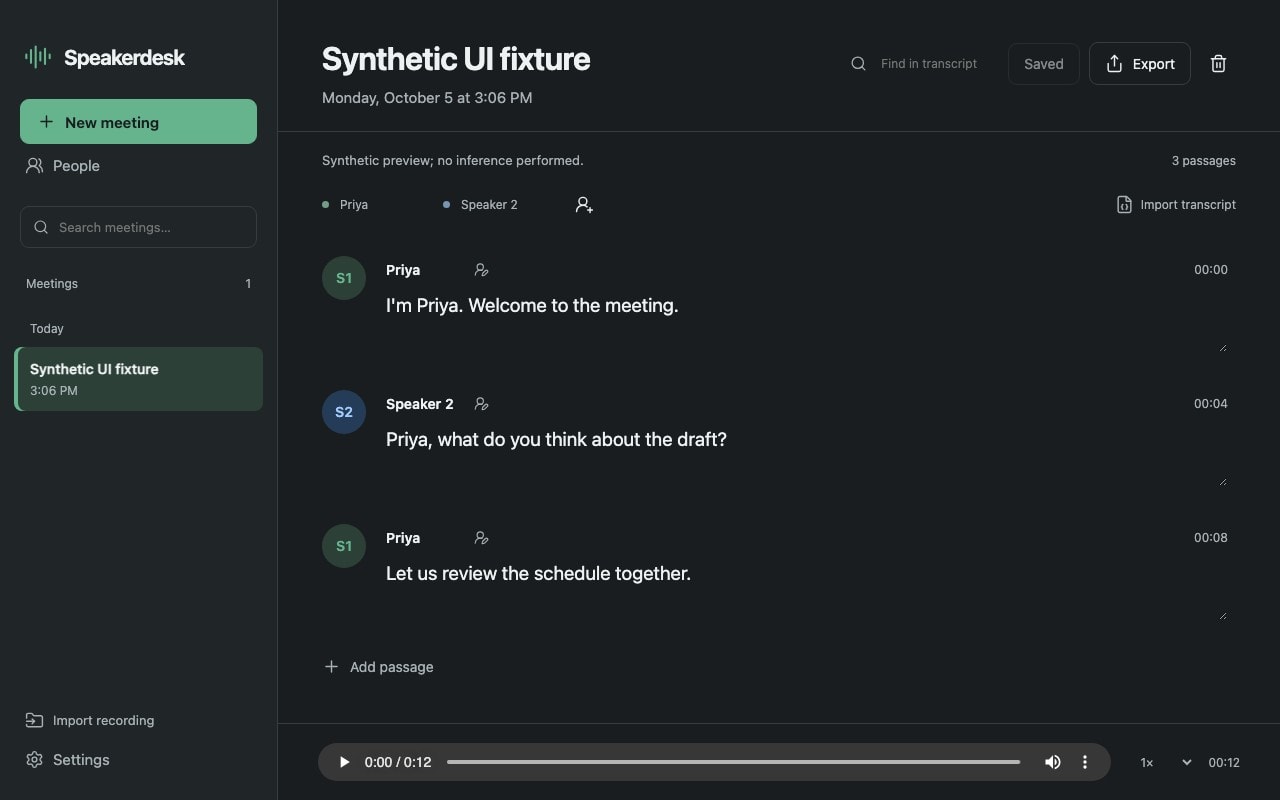
Read in light or dark
Use a light or dark interface for the transcript, playback, and speaker controls.
Using Speakerdesk
Good to know
- Privacy
Keep audio processing local
The app uses local transcription and speaker-labeling models. Internet access is needed to download the models during setup; recordings and transcripts stay on the Mac.
- Names
Let you decide who is speaking
Saved names and speaker corrections work today. Automatic recognition of a person's voice is unavailable in this release.
- Review
Make the transcript your own
Review the text and speaker labels before sharing a transcript. You can correct passages, change names, and listen back to check what was said.
Release notes
Version 0.2.0
Available for Apple Silicon Macs running macOS 14.0 or newer. The Mac app is signed with Developer ID and notarized by Apple.
Real-meeting capture and transcription from the packaged app have not yet been tested. Review transcripts and speaker labels before sharing them.
Saved names are chosen by you. Automatic recognition of a person's voice is unavailable. The first setup downloads the local transcription models.